


Automated routing
Move work to the right owner as status, value or context changes.
Replace manual coordination with structured requests, approvals, scheduled actions and dashboards your team can trust.
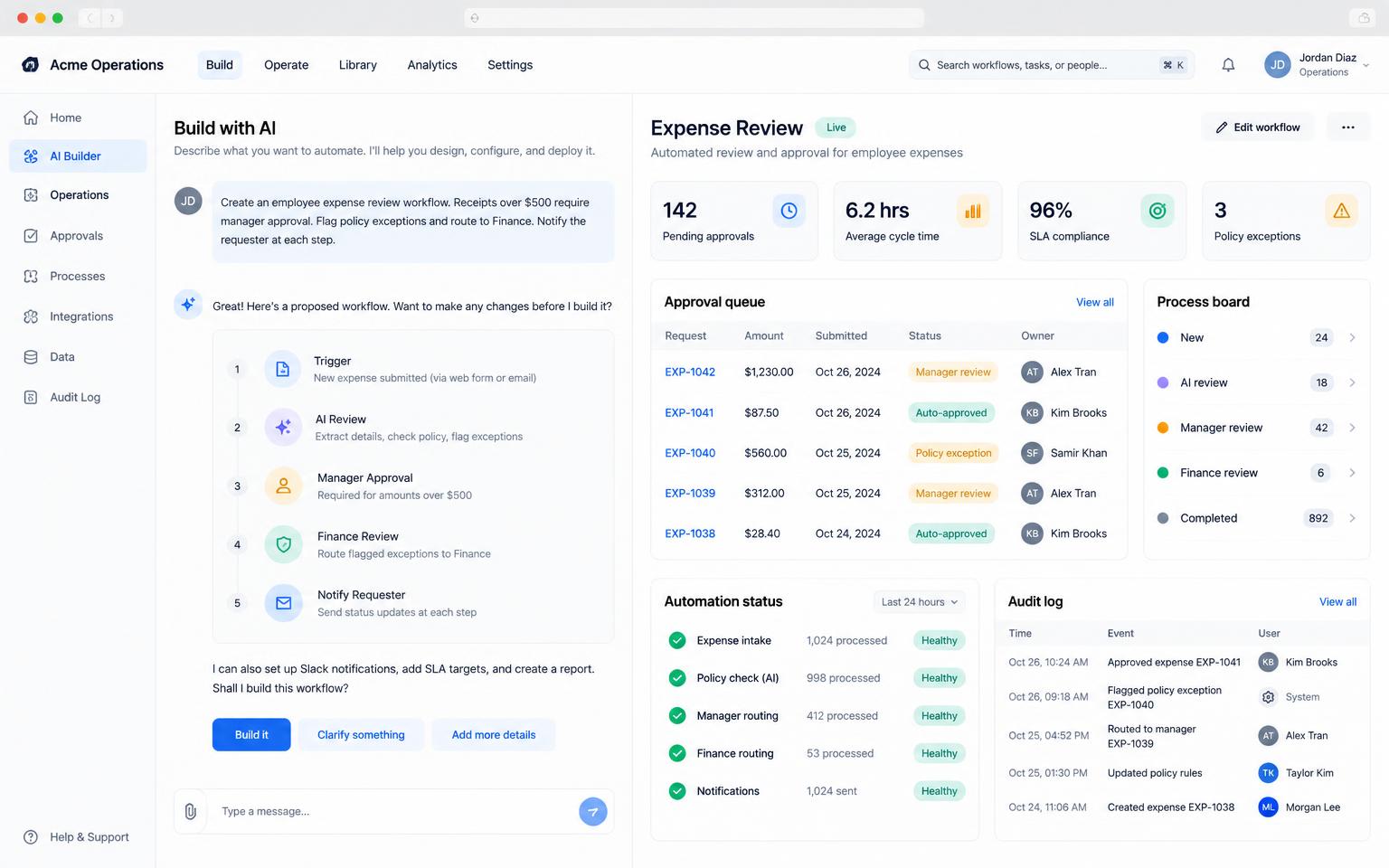
Master turns the rules your team already follows into software with clear state, ownership and a searchable audit trail.
Move work to the right owner as status, value or context changes.
Standardize required inputs, reviewers and thresholds.
See throughput, blockers and service levels without manual reporting.
Replace inconsistent email and spreadsheet intake with clear records.
Connect finance, project, support and business systems securely.
Keep the decisions, actors and state changes attached to the work.
Start with a sentence, document, screenshot or the data your team already uses.
Master maps the screens, data and open decisions before changing the project.
Test working flows, roles and edge cases in a live preview instead of reviewing static screens.
Launch when ready, learn from real use and continue in the same project.
Route spend through the right approvals and preserve every decision.
Collect requirements, assign owners and track readiness across teams.
Import data, flag differences and notify the right person on schedule.
Yes. Server-side jobs can reconcile, remind and report without an open browser.
Yes. Roles and thresholds can be validated on the server and in the database.
Yes, when the ERP exposes an API or supported connector.
Update the rule in the same project and review the change before publishing.
Start free, keep the code, and publish when you are ready.